Key Capabilities
User Management
Create and manage user accounts for employees, administrators, and customer portal users. Each account has configurable access levels, profile information, and login credentials managed through a centralized admin interface.
- Employee, admin, and customer portal user account types
- Profile management with contact details and department assignment
- Account activation, deactivation, and password reset controls
- User list with search, filtering, and bulk management actions
RBAC Permissions
Define granular role-based access controls that determine exactly what each user can do in BOA. Create custom roles with specific permissions for viewing, creating, editing, and deleting records across every module.
- Custom role definitions with per-module permission sets
- View, create, edit, and delete permissions per record type
- Role assignment to individual users or user groups
- Permission inheritance with role hierarchy support
Multi-Factor Authentication
Add an extra layer of security to user logins with multi-factor authentication. Users verify their identity with a second factor after entering their password, protecting against compromised credentials.
- Time-based one-time password (TOTP) support
- QR code setup for authenticator app enrollment
- MFA enforcement configurable per role or globally
- Recovery codes for backup access if the authenticator is unavailable
Audit Logging
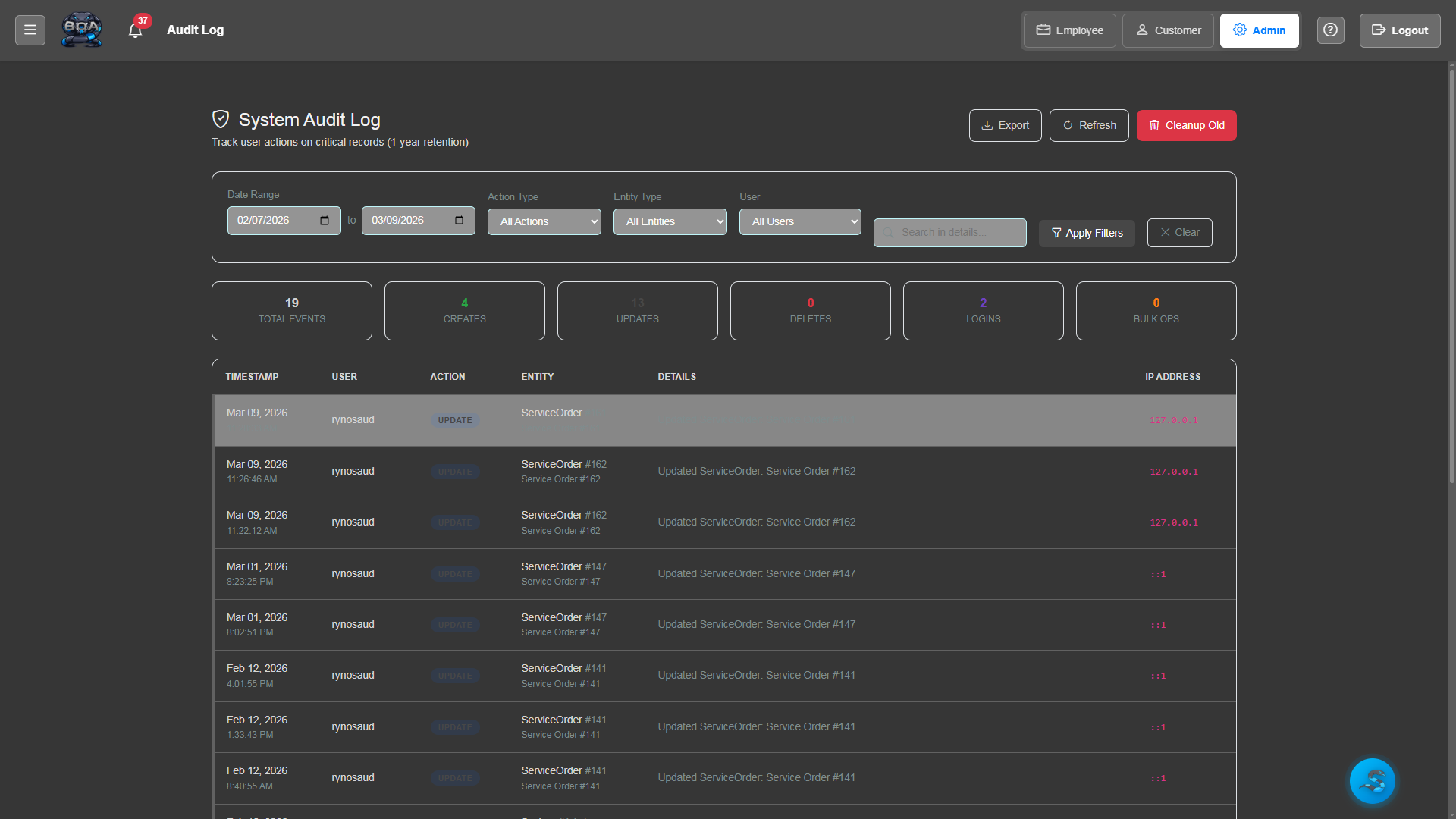
Every significant action in BOA is recorded in a tamper-resistant audit log. Track who accessed what data, who made changes, and when — providing a complete accountability trail for compliance and security investigations.
- Automatic logging of create, update, and delete operations
- User attribution with timestamp on every log entry
- Login and logout tracking with IP address recording
- Searchable audit log with date range and user filtering
System Health Monitoring
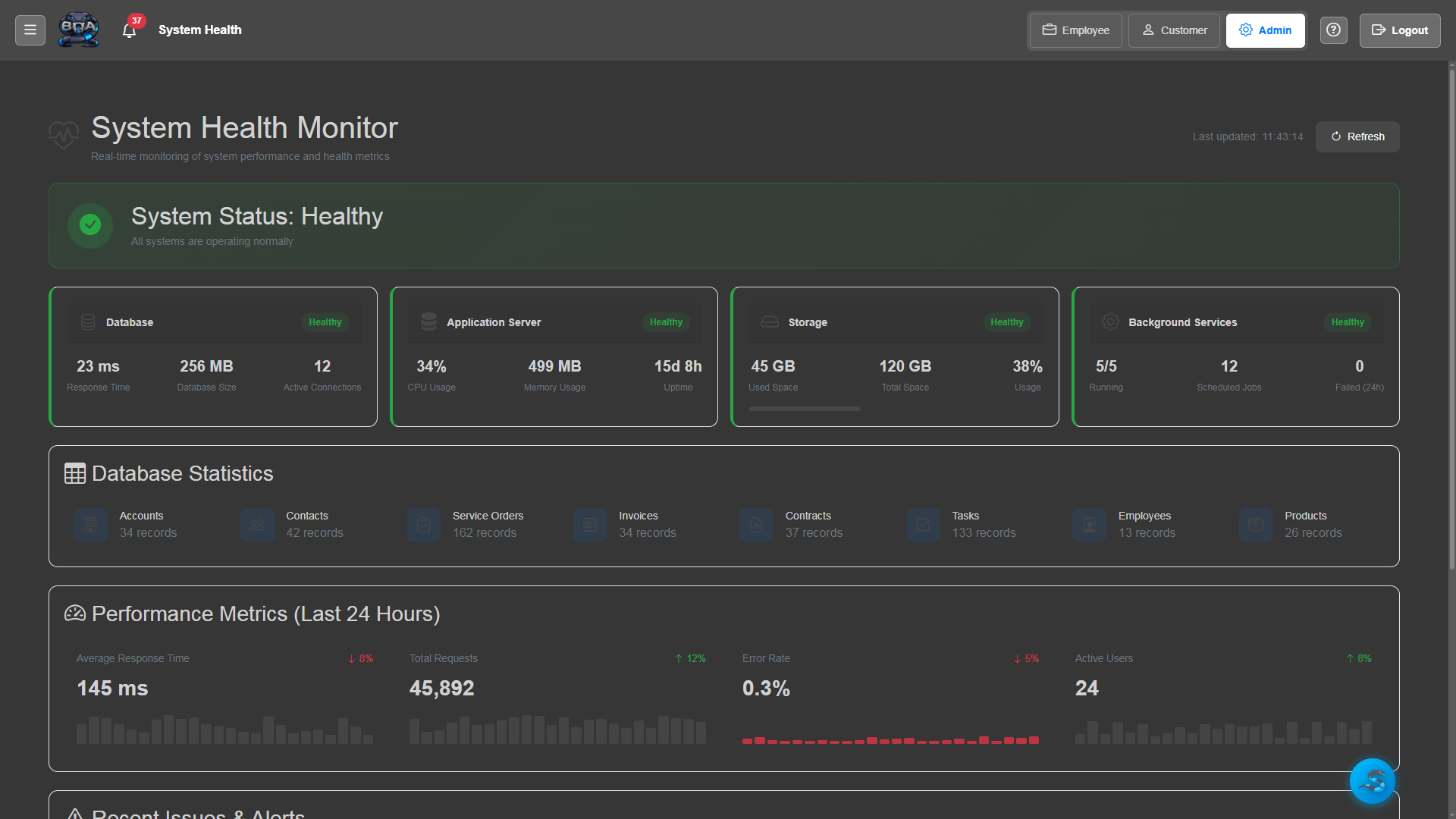
Monitor BOA's operational health with built-in diagnostics. Track server performance, database connectivity, disk usage, and background task execution from the admin dashboard.
- Server performance metrics: CPU, memory, and disk usage
- Database connection health checks and query performance
- Background task and scheduled job execution monitoring
- Alert notifications when system metrics exceed thresholds
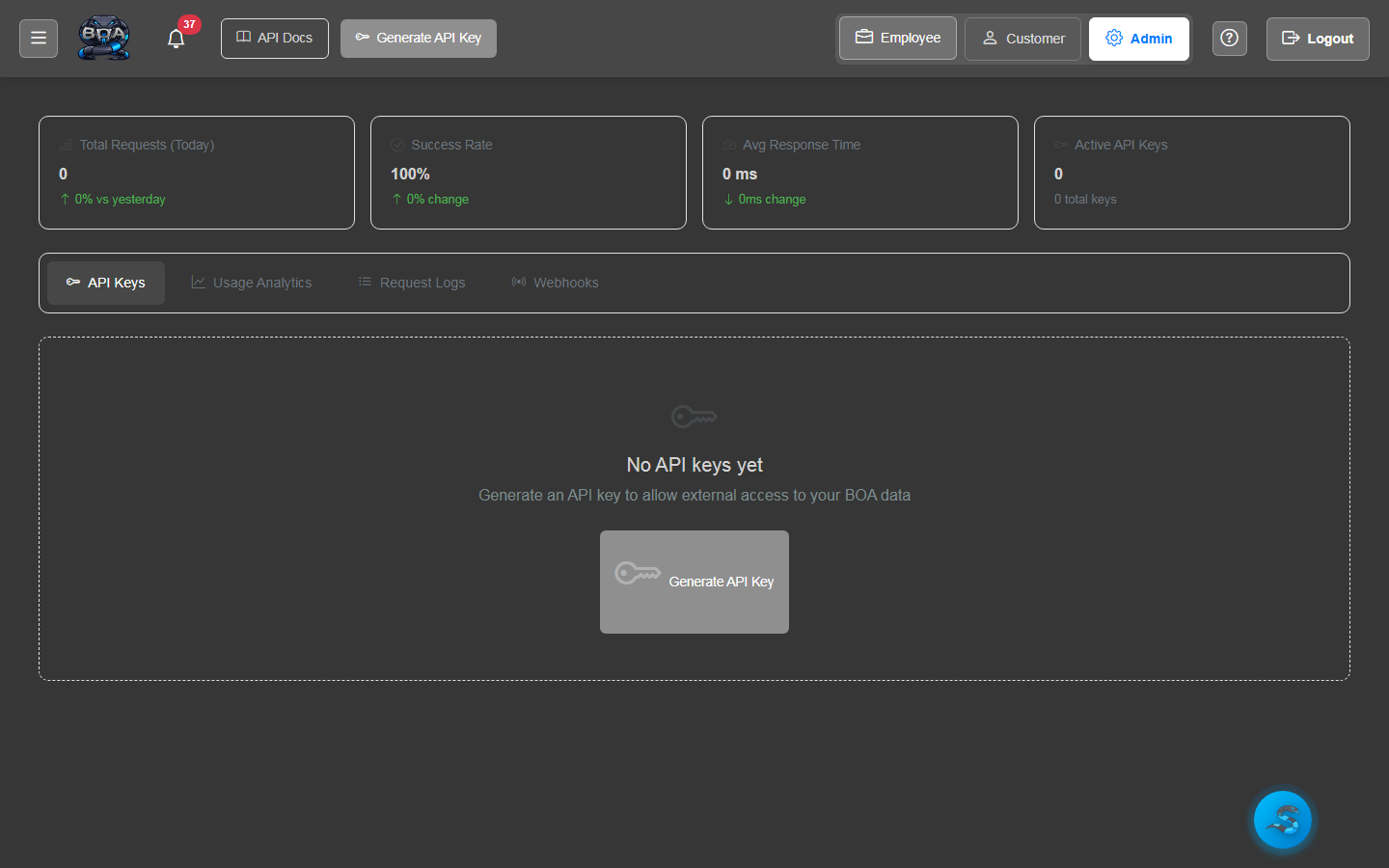
API Key Management
Generate and manage API keys for external system integrations. Each key has configurable permissions, expiration dates, and usage tracking so you maintain full control over programmatic access to your BOA data.
- API key generation with descriptive labels and scopes
- Per-key permission configuration for read and write access
- Expiration date setting and automatic key rotation reminders
- Usage tracking showing request counts and last-used timestamps