Key Capabilities
Inventory Dashboard
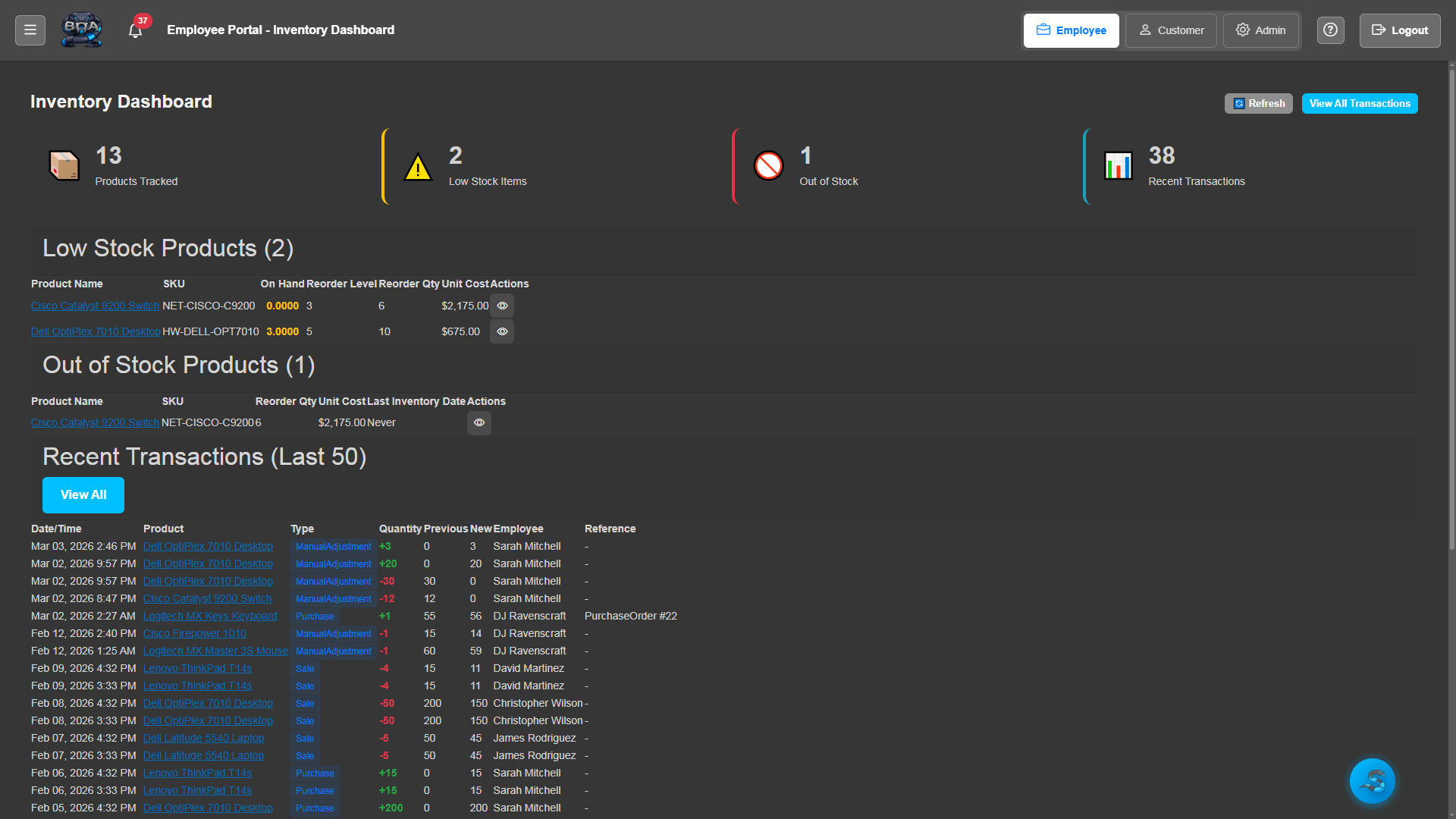
A real-time overview of your entire inventory position. See total stock value, low-stock alerts, recent receiving activity, and top-moving products at a glance.
- Total inventory value and item count summary
- Low-stock and out-of-stock alert indicators
- Recent receiving and adjustment activity feed
- Top-selling and fastest-moving product rankings
Product Catalog
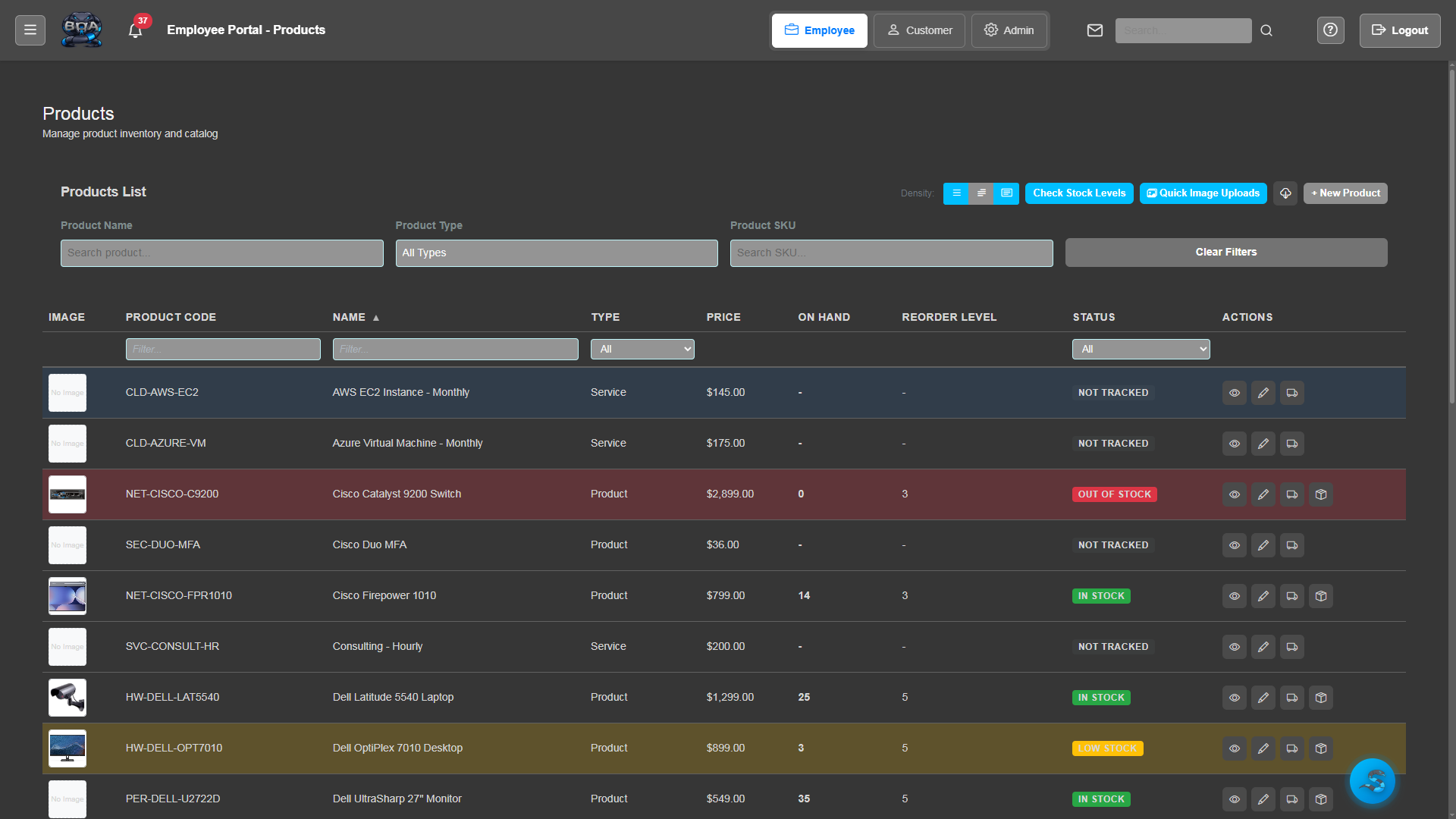
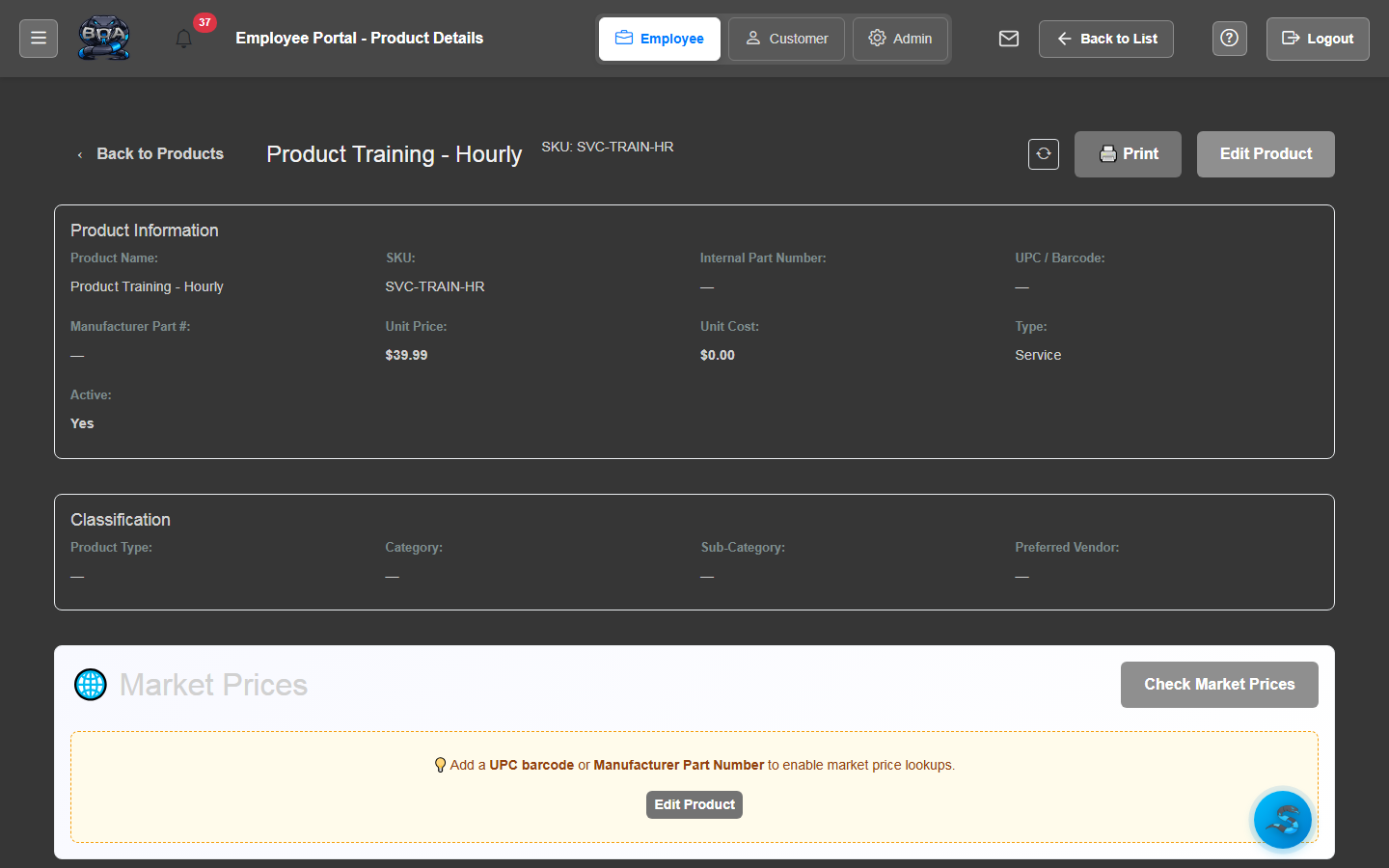
Maintain a comprehensive catalog of every product you sell, stock, or procure. Each product record includes pricing, cost, vendor associations, categories, and detailed specifications.
- Product records with SKU, description, and specifications
- Cost and sell pricing with markup calculations
- Vendor associations with preferred vendor designation
- Category and subcategory organization for easy browsing
Purchase Order Management
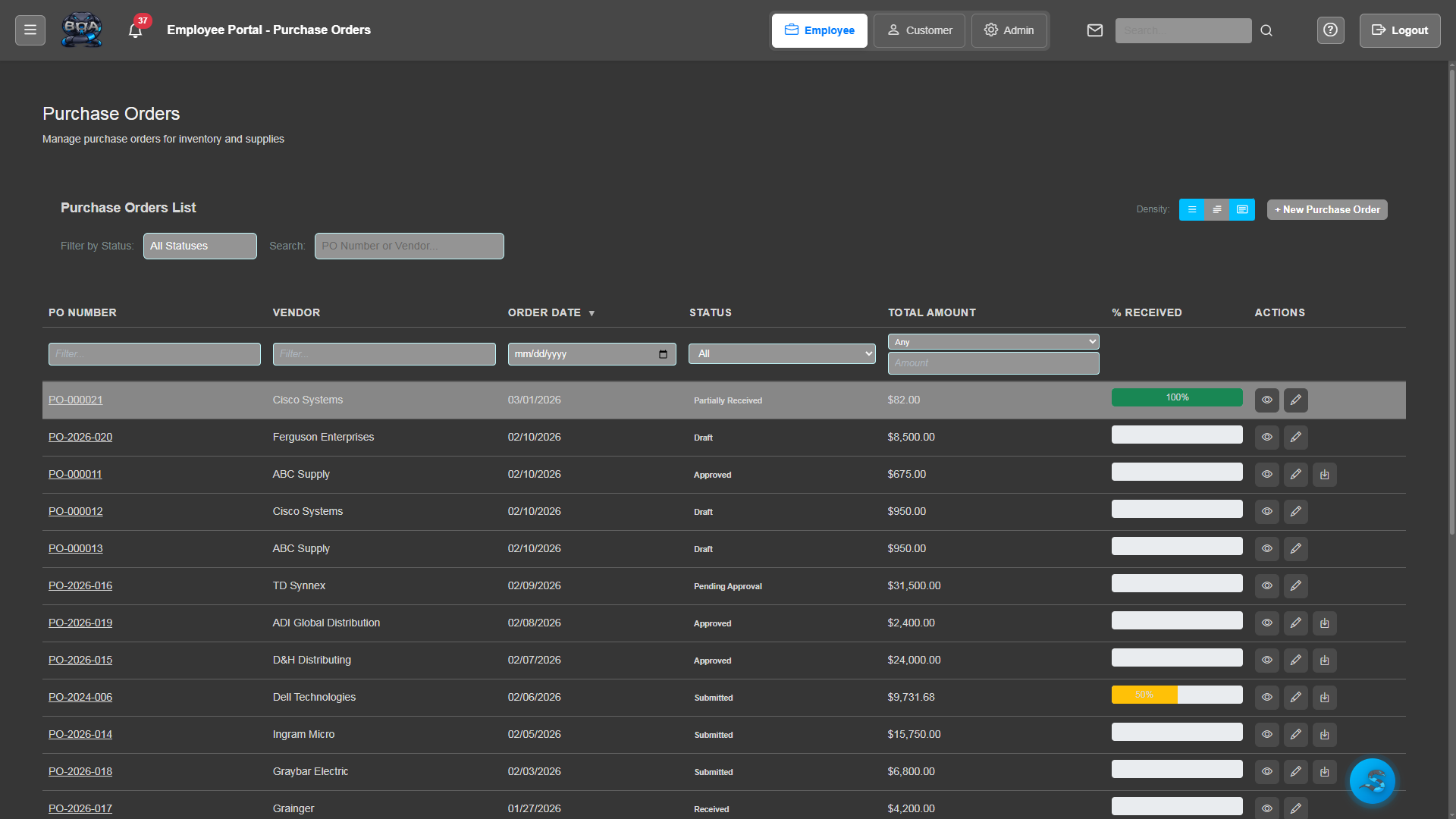
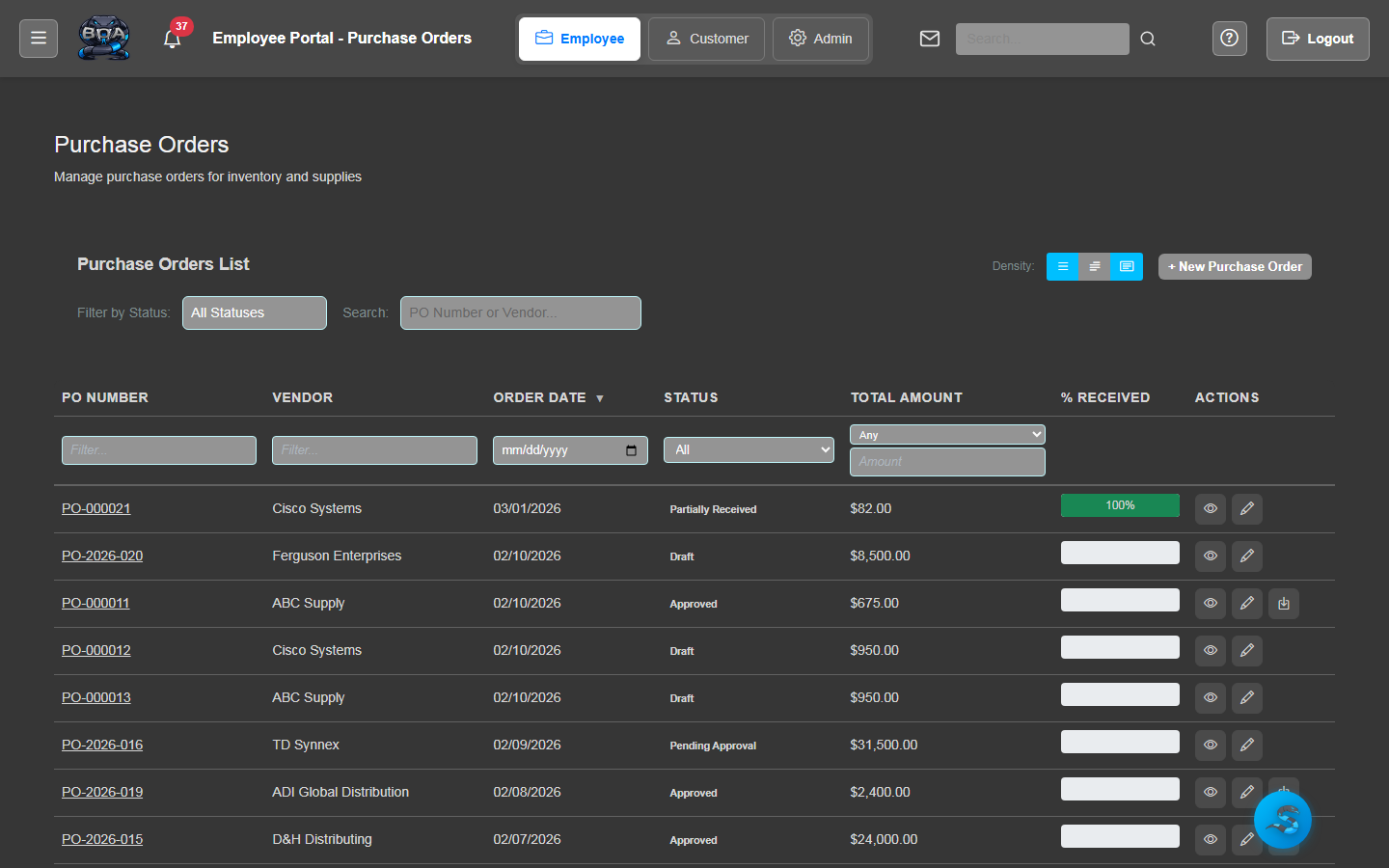
Create, submit, and track purchase orders from your pre-configured vendor list. BOA supports all 20 built-in vendors including D&H, Ingram Micro, TD Synnex, and more.
- Purchase order creation with vendor and product selection
- Support for 20 pre-configured vendors out of the box
- PO approval workflows with status tracking
- PDF purchase order generation and email to vendors
Receiving & Adjustments
Receive shipments against purchase orders with quantity verification and discrepancy tracking. Make manual adjustments for shrinkage, transfers, or cycle count corrections.
- Receive against open purchase orders with line-by-line verification
- Partial receiving with backorder tracking
- Manual stock adjustments with reason codes
- Receiving history and adjustment audit trail
Stock Level Tracking
Monitor stock quantities across your locations in real time. Set reorder points and receive alerts when inventory drops below minimum thresholds so you never run out of critical items.
- Real-time quantity on hand for every product
- Configurable reorder points and minimum stock levels
- Automatic low-stock alerts and notifications
- Stock movement history showing ins, outs, and adjustments
QuickBooks Product Sync
Synchronize your BOA product catalog with QuickBooks Online inventory items. Product names, descriptions, costs, and quantities stay aligned between both systems.
- Two-way sync of products and inventory items with QuickBooks
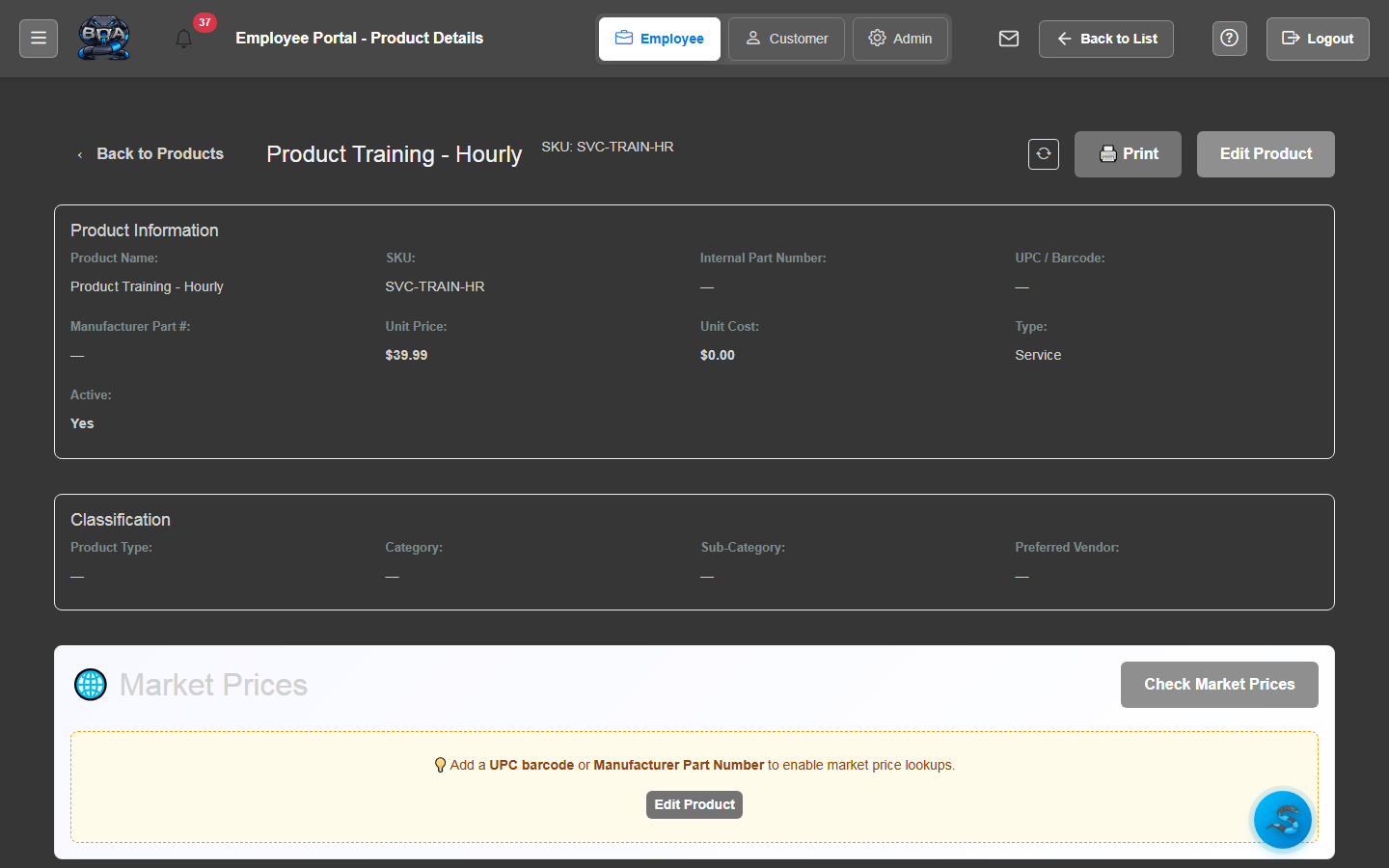
- One-click sync button on every product detail page
- Automatic mapping of product fields and categories
- Sync status indicators and last-synced timestamps